Simply fill out the form and we will get in touch with you as soon as possible.
Email Us:
nick@safetynetcyber.com.au
Contact:
Nick on 0434 791 357


Has your Instagram been compromised? We're here to help – swiftly and securely.
In 2022, the Australian Cyber Security Centre reported an average of 164 cybercrime incidents daily.
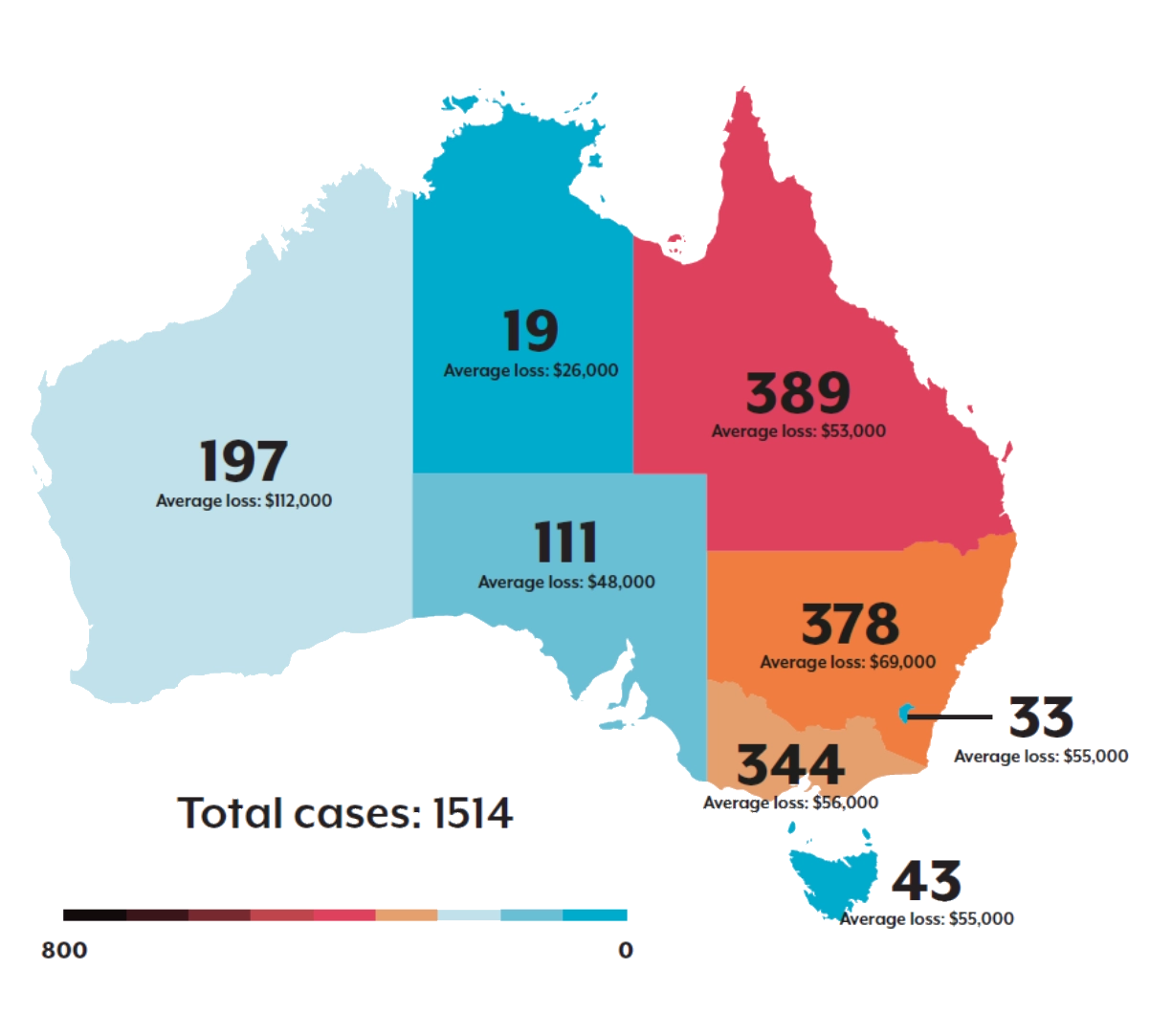
Losing access to your social media account is distressing, but it might indicate a deeper security breach. In today's digital age, guarding your online presence is essential, and Instagram, like Facebook, isn't immune. Reports highlight that platforms like Instagram are frequent targets, putting users at risk of identity theft and financial losses.
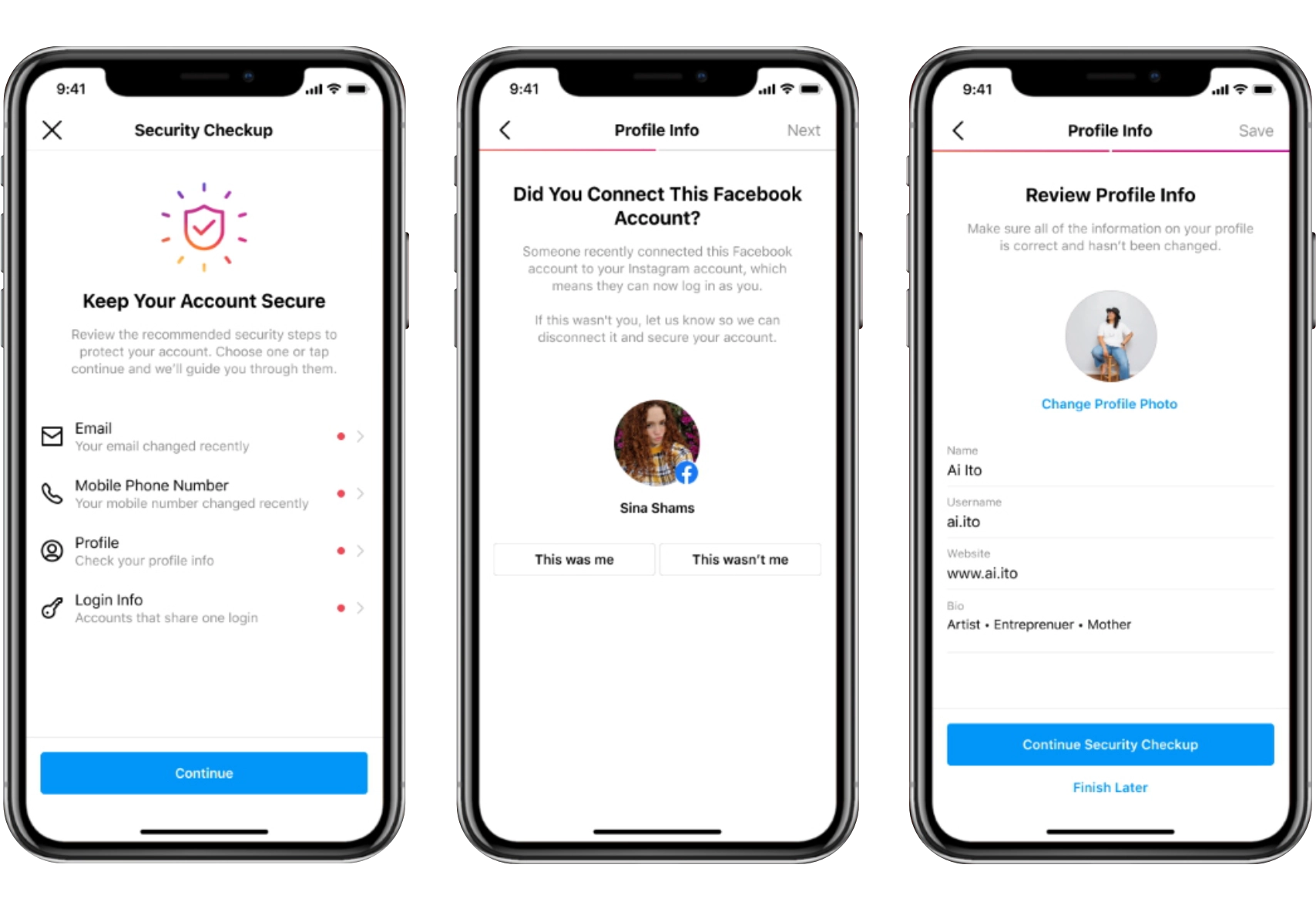
If your Instagram account seems compromised, act without delay.
Check All Devices:
Hackers might miss some logged-in devices, giving you a chance to regain control.
Initiate Instagram Recovery:
Start the recovery process if no devices are logged in.
Email Safety Check:
Hackers often control your email. Check 'Blocked Senders & Domains' for any Instagram-related blocks.
Quick detection is key. Look out for unsolicited profile changes, unexpected messages, strange posts, or login alerts from unknown locations. Notify your followers if anything seems amiss to prevent phishing spread.
Identify Your Account:
Use your email or phone number on Instagram's login screen. If details are changed, ask a follower to check your profile.
Password Reset:
Choose "Can't reset your password" and follow the prompts, including a new username if necessary.
Security Questions:
Be persistent with Instagram’s multi-layered security questions.
Selfie Video Verification:
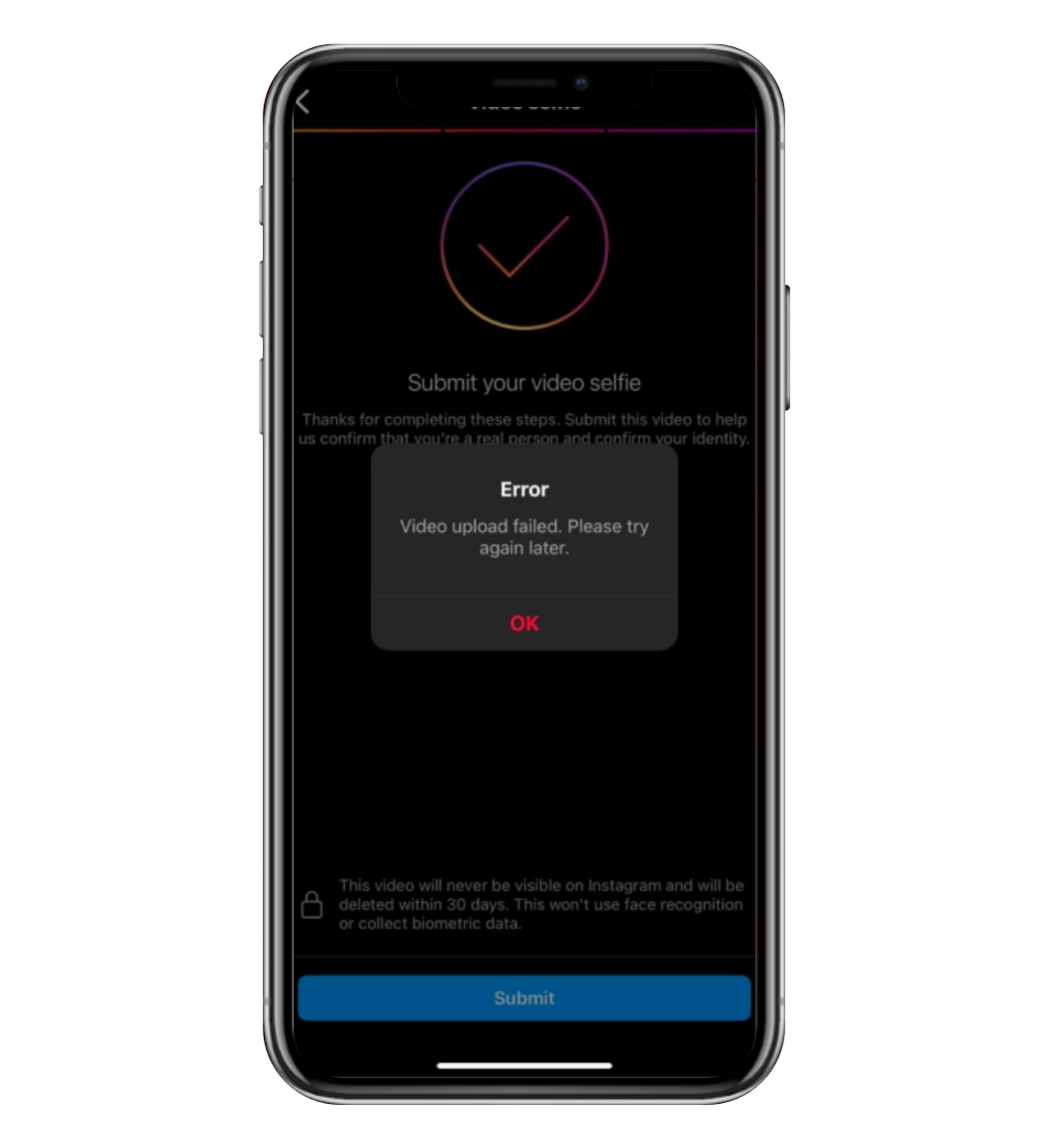
Follow Instagram’s guide for video submission. Ensure good internet connection and the latest app version to avoid upload errors (pictured below).
Await Instagram's Response:
Wait for their manual review post video submission.
Post-Approval:
Immediately secure your account with a new password, updated contact details, and check recent account activity.
After regaining access, enhance your security. Update passwords and enable Two-Factor Authentication (2FA) across all platforms. Use a password manager for strong, unique passwords. Set up credit file activity alerts and report any hacking incidents to your bank and cybersecurity agency.
.png)